Course Home Page
I'm on the home page for my course. What am I looking at?
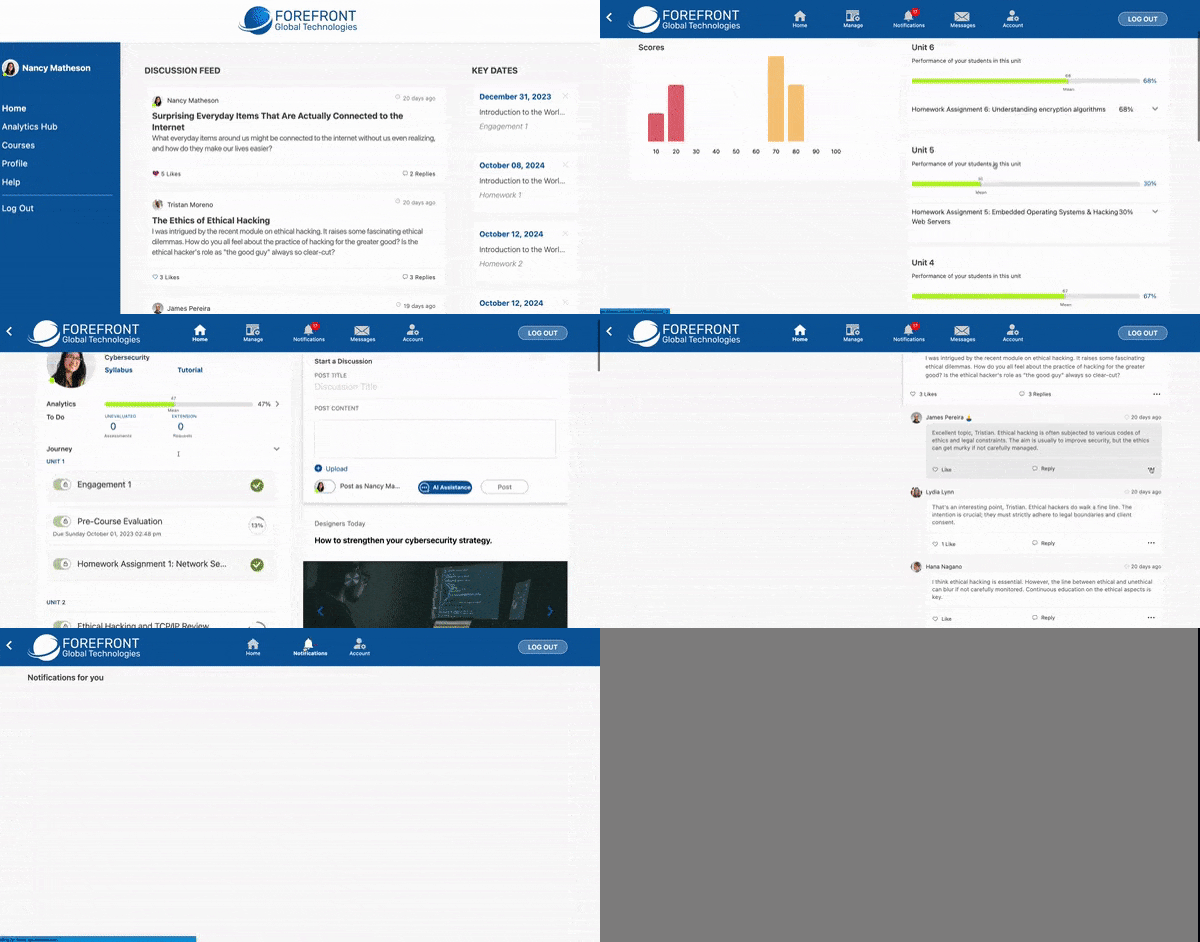
Course Journey
- The course journey shows all course elements in chronological order.
- To manually lock or unlock content for learners, click the lock toggle button on the specific piece of content.
- Learners can only access unlocked content.
Analytics
- View your learners' scores and progress.
Course Feed
- The course feed shows all discussion posts, resource articles, and announcements from the course.
- Instructors receive a feed of AI-curated resources to share with their class.
- Learners can earn credit for weekly engagement points by completing two of the following in the course feed:
- Creating, commenting on, or replying to a comment on Discussions
- Commenting on, or replying to a comment on Articles
- Scores are updated at the end of the week.
- Discussion postings can be flagged for inappropriate content or deleted
- Flagged posts will not give the learner any engagement credits.
Course Help
- Course help shows all questions that students ask about specific topics within the course.
Notifications
- Notifications compile all alerts, including due dates, grades being posted, and new discussion articles.
- These settings can be updated on the Account page.
- Instructors can manually create notifications to send out to all learners enrolled in the course.
Messages
- In messages, you can send private messages or start video calls with students in your class.
Account
- The account page shows your profile with user analytics of your time in the environment and your settings page.
- Click the settings button to navigate to your settings page.
- For more detailed information about your settings options, click here.
No results found

