Course Building Tips
How Do I Build A Course?
The Course Manager feature allows you to create and edit courses.
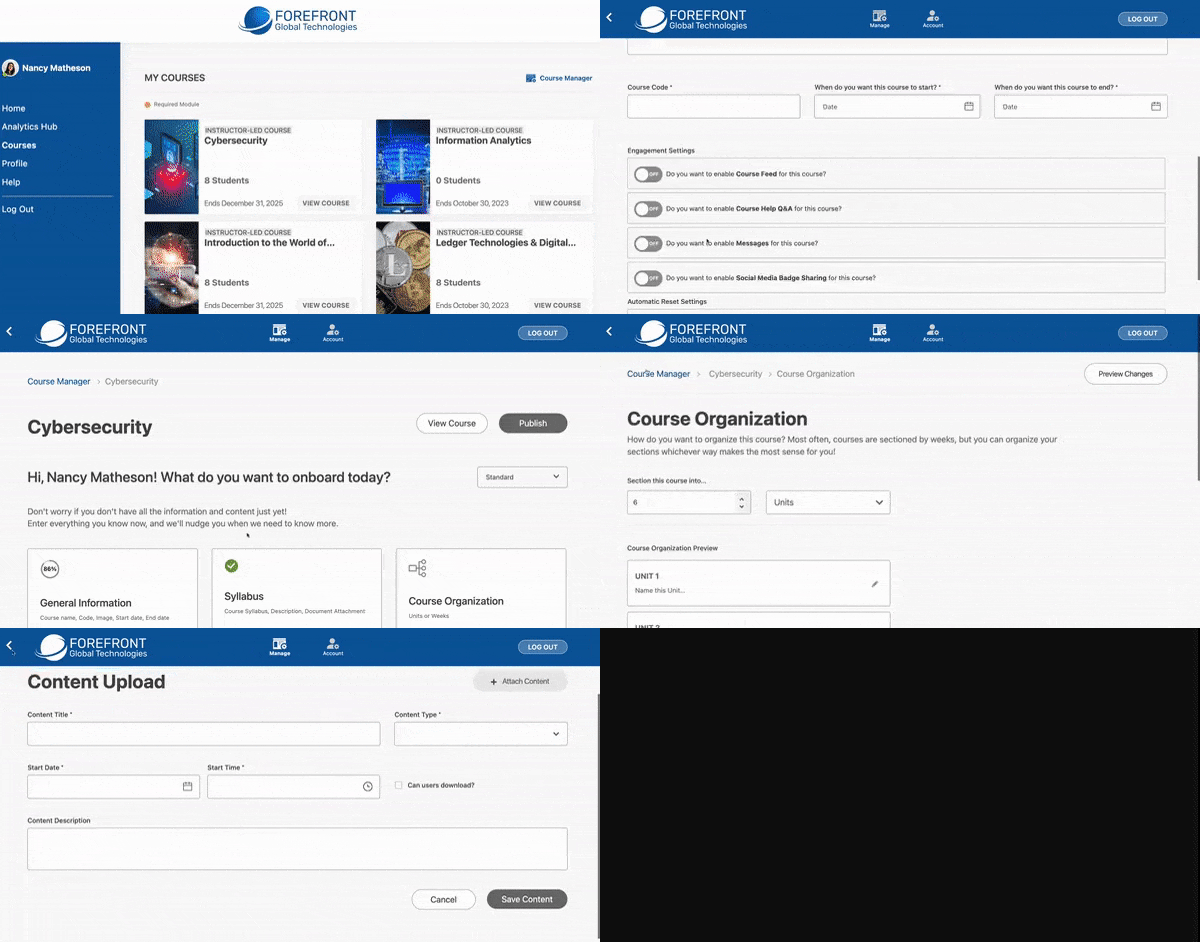
Accessing the Course Manager
You can access the Course Manager in two ways:
- From your portal, click the Course Manager icon in the top right-hand corner.
- From within a course, click the Course Manager icon in the top bar.
Creating a New Course
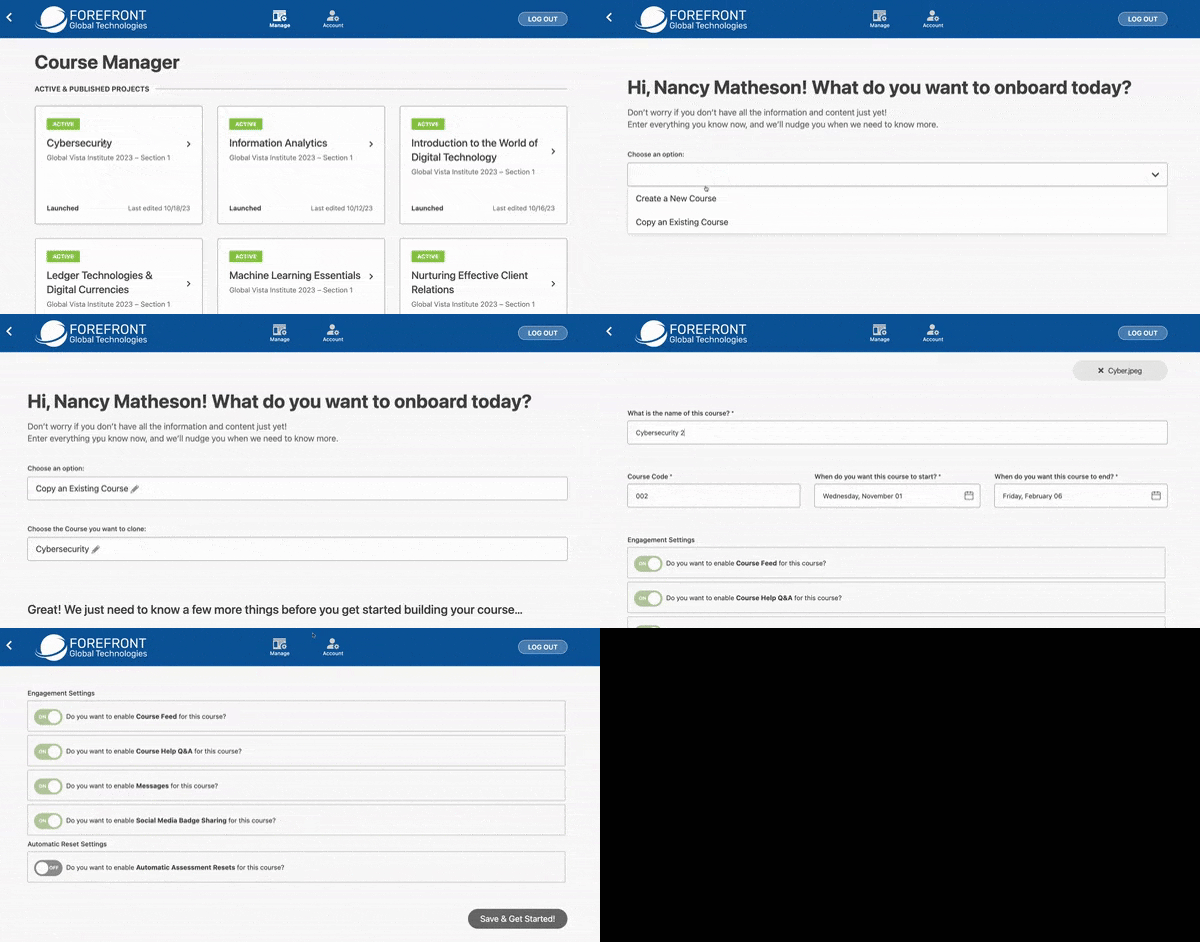
- Click New Project. Choose Create a New Course from the dropdown.
- Fill out the course information, including the course type, name, number, images, and dates.
- Click Save & Get Started!.
Add a Syllabus and Choose your Organizational Structure
- The syllabus can be input manually or via pdf upload.
- Units are most common for Course Organization.
Add Course Content & Assessments
You can add course content in the Course Content section. This includes lectures, engagements, live streams, and more.
Content
- Click Create Content
- Enter the content title, type, start date, time, and description.
- Attach the content file.
- Click Save Content.
Assessments
You can create assessments in the Assessments section. This includes homework, quizzes, tests, whiteboards, and labs.
- Click Create Assessment.
- Select the assessment type.
- Download CSV Template, fill it out, and save and Upload CSV file.
- Fill out the assessment information, including the title, description, and questions.
- Click Save Assessment.
Drag and drop Content and Assessments to their corresponding units/weeks.
Badges
You can add badges to your course to motivate students.
- Click Create Badge.
- Enter the badge name and upload an image.
- Select the unit(s) or week(s) when the badge will be awarded.
- Click Save.
Publishing your course
Once you are finished editing your course, click Publish to make it available to your students.
Cloning a Course
- Click New Project. Choose Copy an Existing Course from the dropdown.
- Edit the course information, including the course type, name, number, images, and dates, if applicable.
- Click Save & Get Started!.
- Edit the course content if necessary.
- Publish.