
Troubleshooting Common Issues
Google Chrome is Amesite's preferred browser of choice. Most issues can be solved by using Chrome.
My Learner is having trouble logging in. Help!
Perform a Hard Refresh:
- Windows/Linux: Hold down Ctrl and click the Reload button. Or, Hold down Ctrl and press F5.
- Mac OS: Hold down ⌘ Cmd and Shift and then press R.
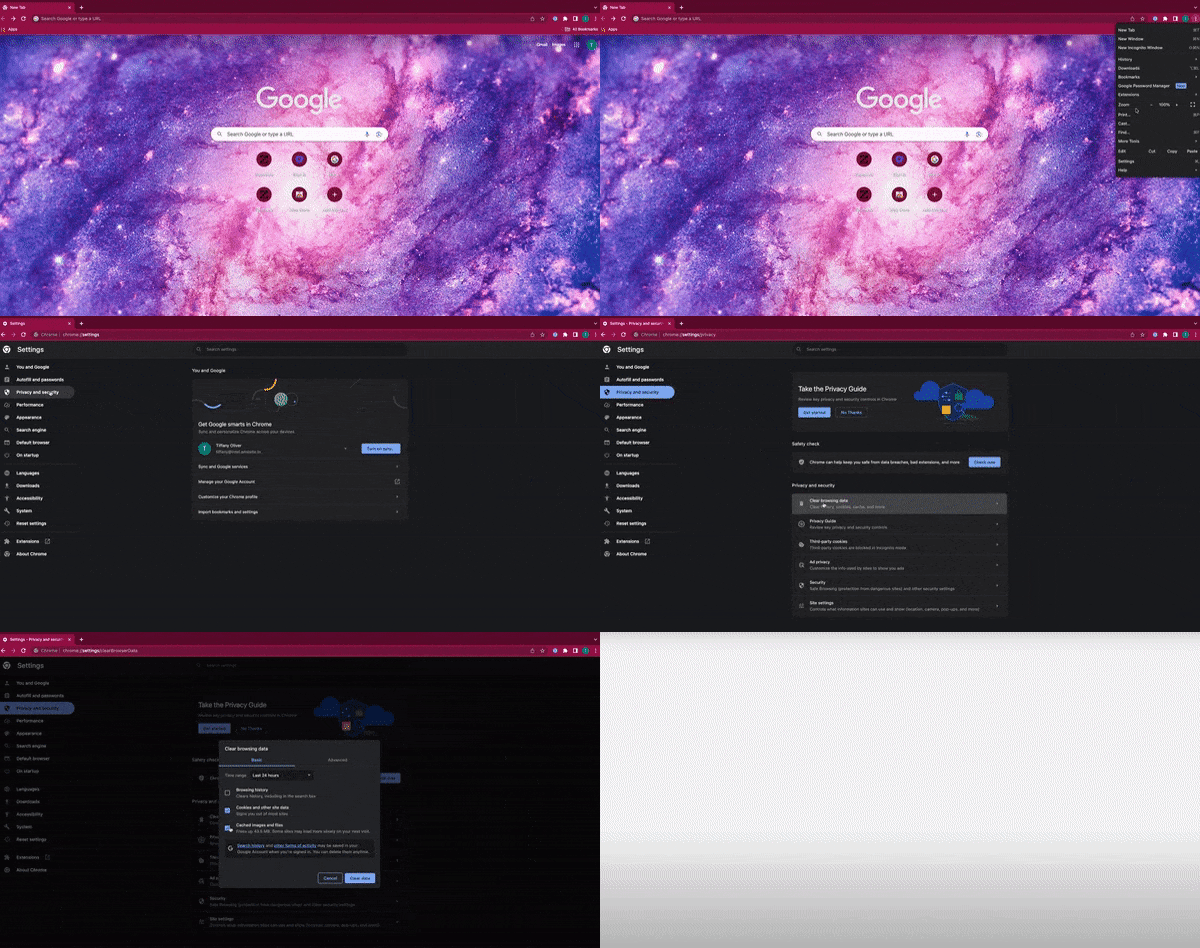
Clear your Cache:
This issue can be cleared up be clearing your cache and cookies. Follow the instructions below to clear them.
- On your computer, open Chrome.
- At the top right, click More Settings.
- Click Privacy and Security: Clear Browsing data.
- Click the checkboxes for Cookies and other site data, and Cached images and files.
- To confirm, click Clear data.
- Return to the login page to continue.
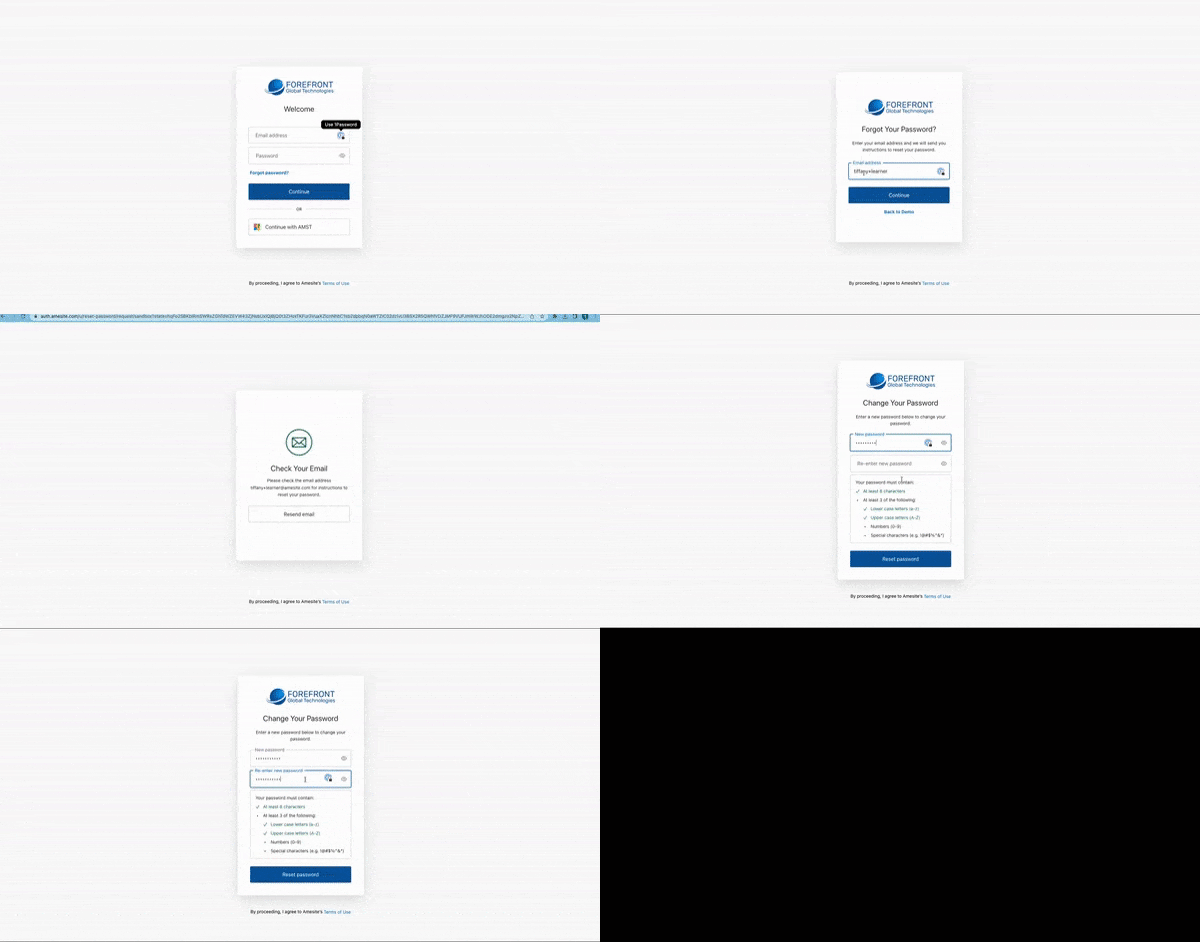
My Learner can't remember their password. Help!
- On their login screen, click Forgot Password?
- Enter the email address used for registration.
- Check your email for the subject: Password Reset.
- Click the link to reset password.
- Create a new password and log in.
My Learner says they can't see the content. Help!
There are a few reasons why this can happen. Here's a few tips to resolve:
Disable your Popup Blocker
Chrome:
- Open Chrome and click the three dots in the top right corner.
- Select Settings > Privacy and security > Site Settings.
- Click Pop-ups and redirects.
- Under Allowed to send pop-ups and use redirects, click Add to specify a site.
- Enter the site URL for your Learning Community Environment and click Add.
- Also, you can try Clearing your Cache, or performing a Hard Refresh- both detailed above.

There's Content on the Journey that My Learner Can't Access
- Check the Start/ End dates for the assessment.
- Make sure the content is toggled ON. If the content is toggled OFF the learner can see it, but not click on it.

My Learner wants to see their scores for the assessment they just completed. Help!
- Refresh the page to see their updated scores!
- Double-check and make sure that they clicked the Submit button on the assessment!
My learner didn't get the score they wanted. Can they retake the assessment?
Your Institution determines assessment retakes. If retakes are allowed, the assessment will automatically reset if the passing score isn't reached. They can retake it by returning to it and clicking Start.