Viewing My Progress
What are my current scores?
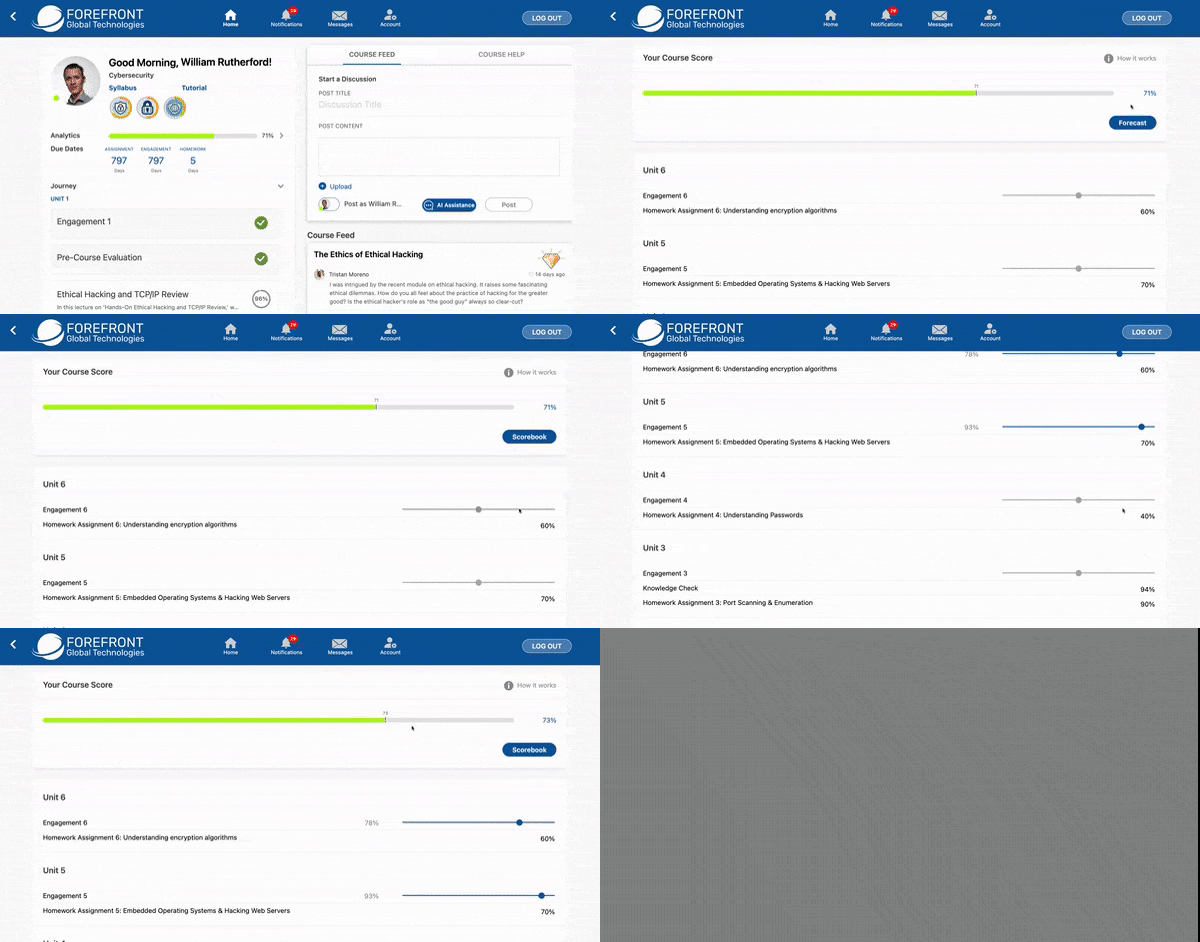
View your current score and forecast your future grades:
- Click the arrow to the right of the Analytics bar.
- Your current score will be displayed at the top.
- To forecast your future grades, click Forecast and move the sliders to the predicted score you will earn.
- Your forecasted score will automatically update.
I want to check my answers. Can I see what I just submitted?
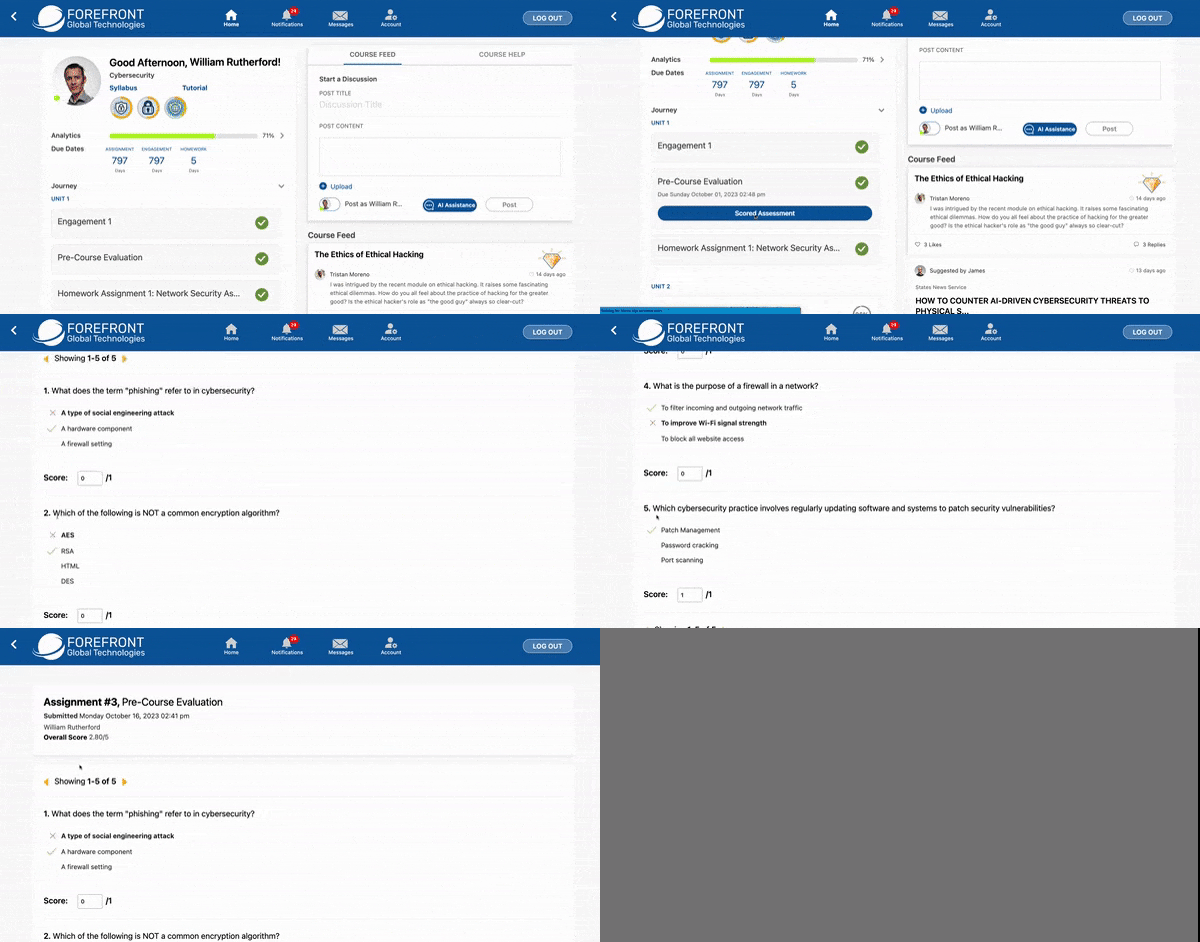
View your current submission:
- Click the submitted assessment you'd like to view.
- Click Scored Assessment.
- You can view your submitted answers. An X indicates an incorrect submitted answer, and a check indicates a correct answer.
Tip: Just finished taking an assessment that you want to review your grade for? Be sure to refresh your page so that your grade will populate!
No results found

